
How to bulk print Australia Post labels from Shopify
Short answer
Install a MyPost Business label app, select your unfulfilled orders and generate them together. In All In One Australia Post Ship, the Fulfill and Generate button buys the postage, creates one printable file and marks the orders fulfilled in Shopify with tracking numbers.
Creating labels order by order is fine at five parcels a day and painful at fifty. This guide shows how bulk printing works in All In One Australia Post Ship.
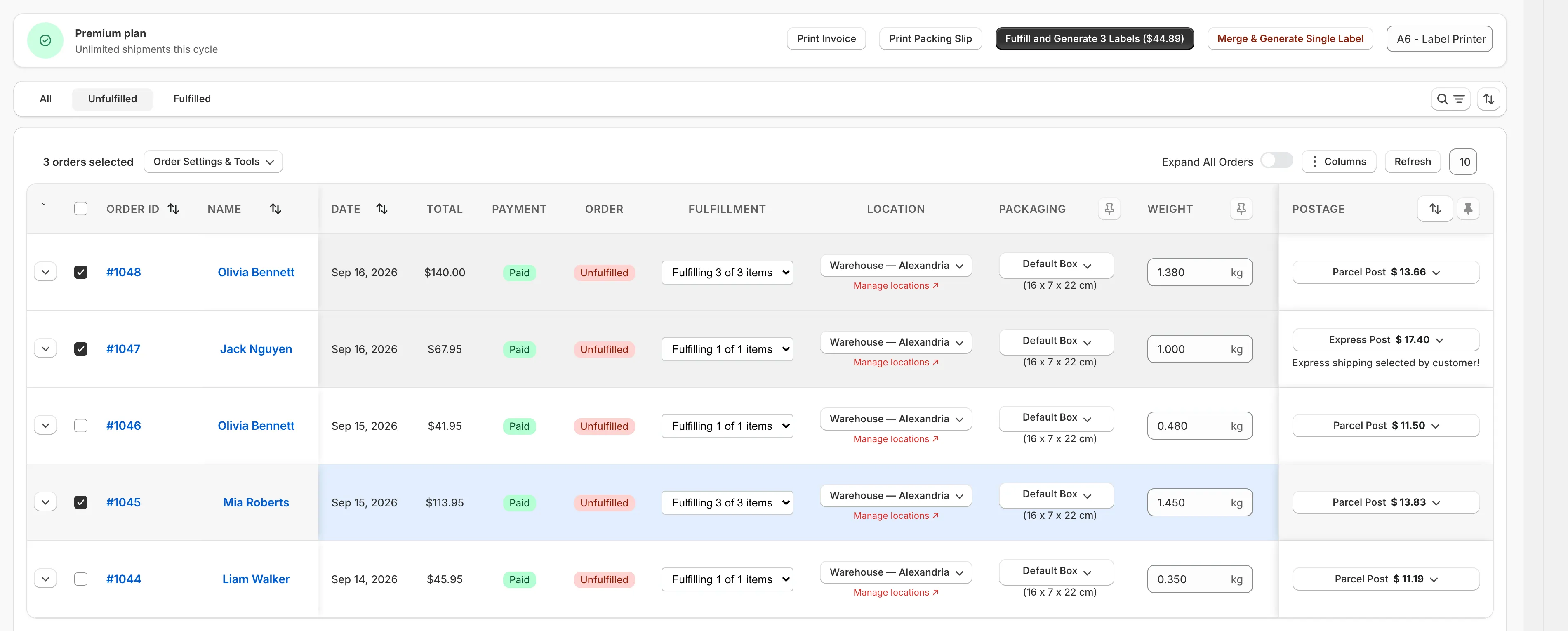
Print a batch of labels
- Open Orders and stay on the Unfulfilled tab.
- Tick the orders you want to send.
- Check each row’s packaging, weight and service. The price for each order appears in the postage column.
- Press Fulfill and Generate. The button shows the number of labels and the total.
- Print the file.
The labels are ready to print straight away. Orders are marked fulfilled in Shopify in the background, usually within a few seconds, with their tracking numbers.
Spend less time on each row
- Choose a default package. New orders start with the box or satchel you use most.
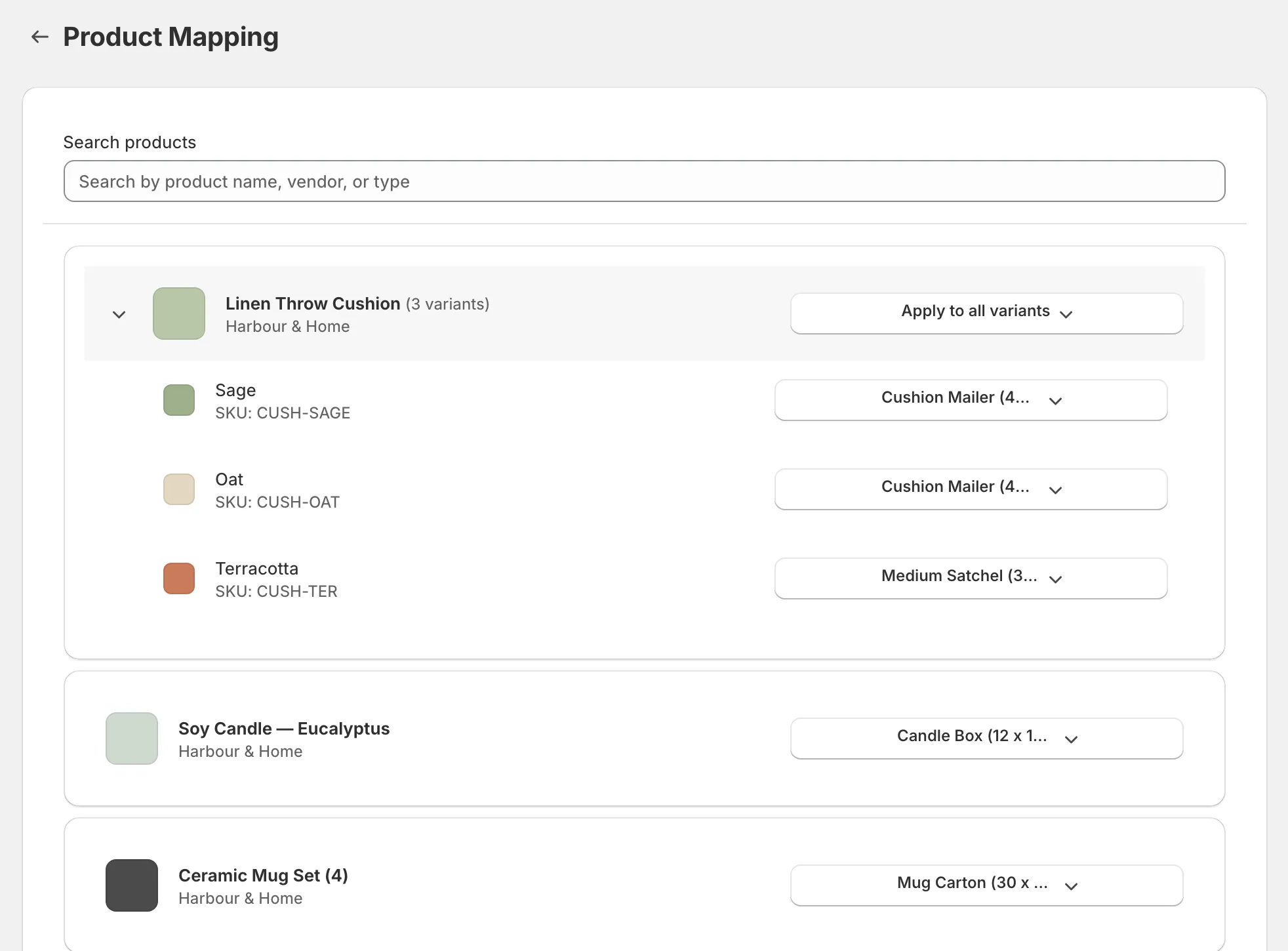
- Map products to packaging. Set the package once for each product or variant, and matching orders use it automatically.
- Set your label size once. Choose it under Printing, or change it for one batch beside the Generate button.
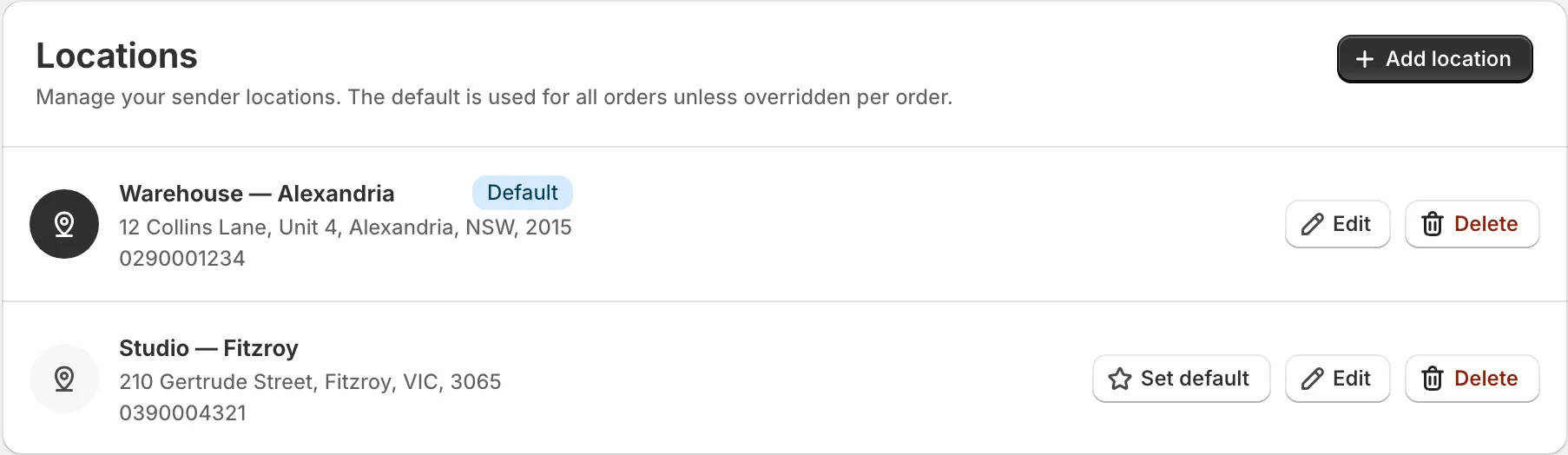
Ship from more than one place
On Premium, you can save several sender locations and change the location for an individual order. Your default is used unless you choose another.
Make labels now, fulfil later
Some stores print labels the night before, or wait until stock arrives. Untick Fulfill in Shopify beside the main button and it changes to Generate N Labels.
Those orders stay on the Unfulfilled tab, marked Label ready, not fulfilled yet. When you’re ready, press Fulfill on a row or select several and press Fulfill N Labelled Orders. It reuses the saved tracking numbers and never charges again.
Why batching helps card payments
Generating orders together is also kinder to your card. Several charges from Australia Post in a short time can trigger your card issuer’s fraud protection, especially when the amounts match. Generating a batch makes one charge rather than many. See payment errors if your card is refused.
Common questions
Why are some older orders missing from the list?
Shopify normally lets apps list orders from the last 60 days. Orders on hold also stay off the Unfulfilled tab until you release the hold in Shopify.
Can I print labels now and fulfil the orders later?
Yes. Untick Fulfill in Shopify beside the main button. The labels are made and paid for, and you can fulfil those orders later without being charged again.
Will in-store sales clutter the list?
They don't have to. On a computer, the In-store sales filter hides walk-in Shopify POS sales from every tab.
How many labels are included?
The Free plan includes 30 labels a month. Advanced and Premium include unlimited labels. Postage is charged separately by Australia Post.