
How to show live Australia Post rates at Shopify checkout
Short answer
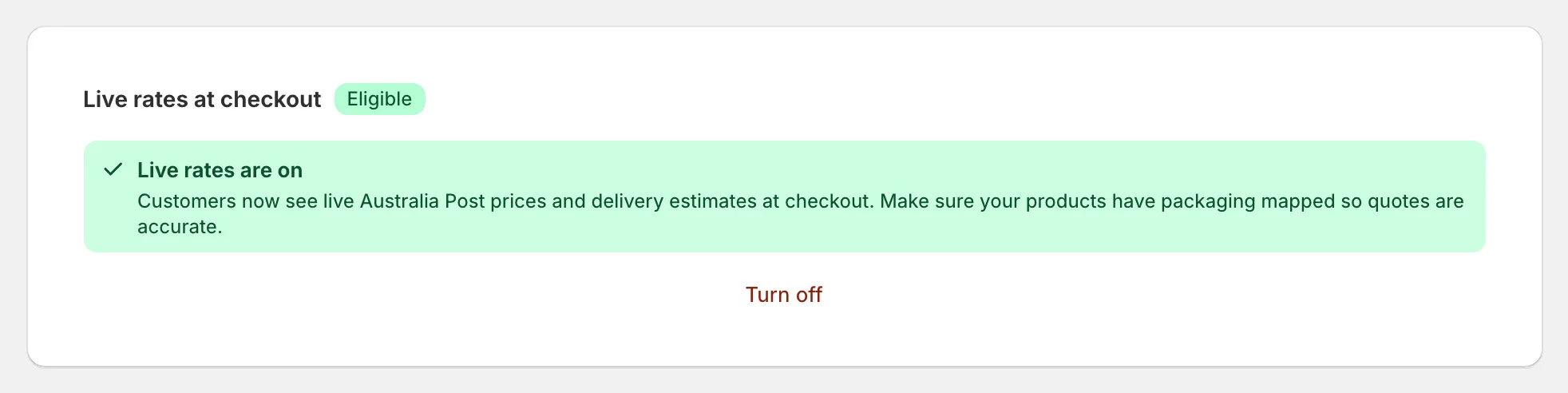
You need an app that returns carrier rates and a Shopify plan that allows third-party calculated rates. Shopify allows this on Advanced and Plus, and on Grow when billed yearly or with its paid add-on. In All In One Australia Post Ship, live rates are part of the Premium plan.
Flat rates are simple, but they lose you money on heavy parcels and overcharge customers on light ones. Live rates quote the actual postage for each cart.
Which Shopify plans qualify
Two plans have to allow it: your plan with the app and your plan with Shopify.
| Shopify plan | Live carrier rates |
|---|---|
| Plus | Yes |
| Advanced | Yes |
| Grow (formerly “Shopify”) | Only if billed yearly or with Shopify’s paid add-on |
| Basic | No |
| Starter | No |
Plan rules are Shopify’s and can change. After changing your Shopify plan, press Re-check eligibility on the app’s Checkout Rates page.
Set your rate rules
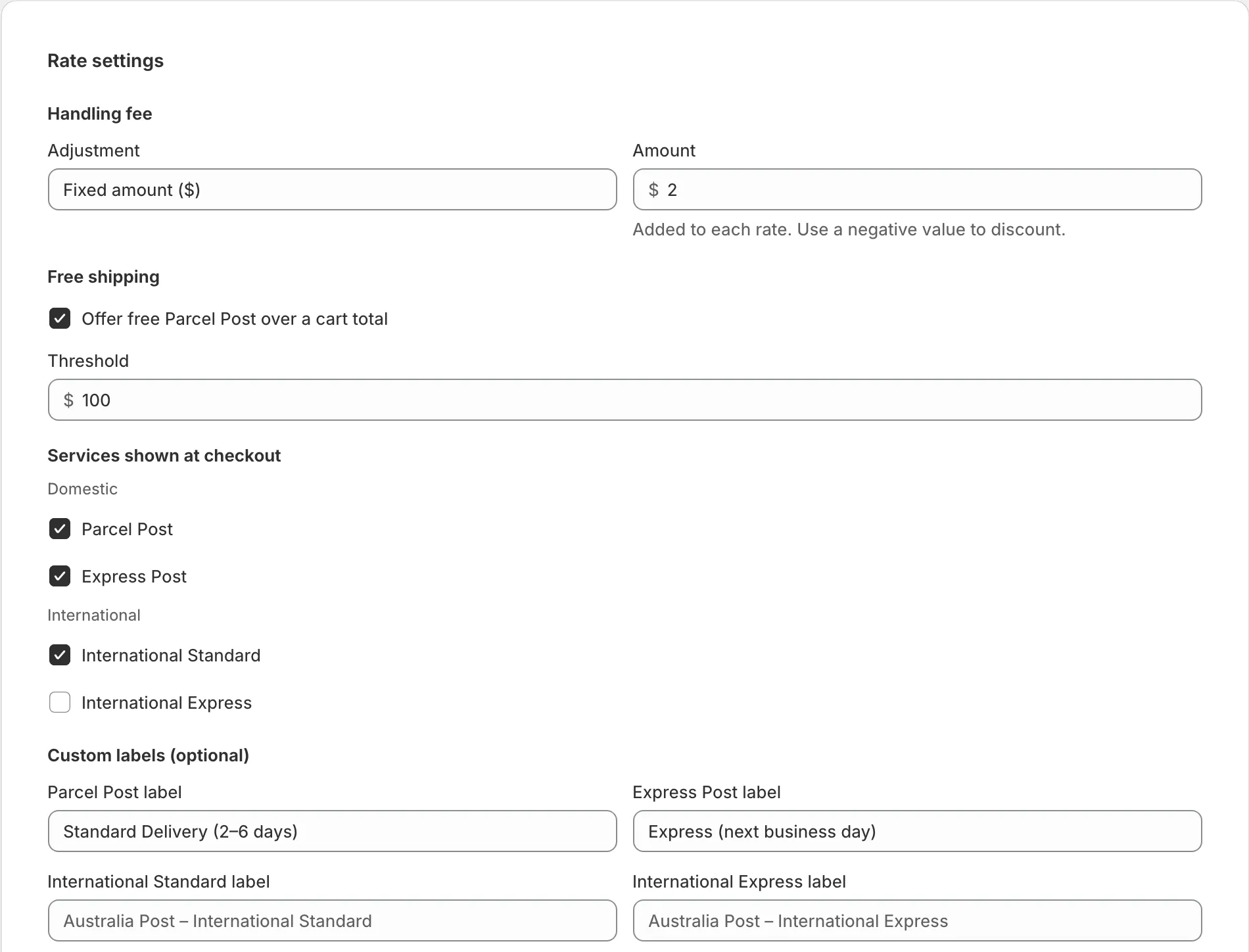
You can set:
- A handling fee, as a fixed amount or percentage. A fixed fee is added once per order.
- Free Parcel Post over a cart total.
- Which services appear, such as Parcel Post, Express Post, International Standard and International Express.
- Your own service names, such as “Standard Delivery (2–6 days)”.
- A flat fallback rate, used when live pricing isn’t available.
Check your shipping profiles
Turning on live rates adds them to every shipping zone in your General shipping profile, and the app lists those zones. Products in other shipping profiles need the rate added in Shopify:
- Go to Settings, then Shipping and delivery, and open the profile.
- In each zone, choose Add rate.
- Select Use carrier or app to calculate rates.
- Choose Australia Post – Live Rates.
If rates don’t appear at checkout
- Confirm your Shopify plan qualifies
- Make sure checkout is in AUD
- Check that the product is in a profile that has the live rate
- Map your products to packaging so that quotes are accurate
- After changing a rule, test with a different cart, because Shopify can briefly show the old price for the same cart
Common questions
Does switching Basic to yearly billing unlock live rates?
No. Basic and Starter can't use them on monthly or yearly billing, based on how the feature is offered today.
Does free shipping apply to Express Post?
No. In the app, the free shipping threshold applies to Parcel Post only, so Express Post is still charged.
Can my checkout be in another currency?
Not for these rates. Checkout has to be in Australian dollars, or the Australia Post rates won't appear.